
Google Calendar integration in Tabernacle
Tabernacle now lets you add your church’s birthdays and anniversaries to Google Calendar with a private link.
Tabernacle now has a new Google Calendar integration in the People module. You copy one private link, add it to Google Calendar, and you’re done. It’s optional. Each person sets up their own, and the events go only to the calendar of the person who asks for it.
Here is what you can do with it:
-
Copy a private calendar link from the People dashboard
-
Add it to Google Calendar with From URL
-
See birthdays and anniversaries
-
Stop it any time with Revoke subscription
What is the Google Calendar integration in Tabernacle?
It lets you see your church’s birthdays and anniversaries from Tabernacle People inside Google Calendar.
Tabernacle gives you a private link. Google Calendar follows that link and shows what is in it. “Subscribe” here has nothing to do with payment. It only means Google Calendar follows the link.
Birthdays and anniversaries come from the people's records you already keep in. You choose whether to use it. If you never set it up, nothing changes.
How do I add Tabernacle to Google Calendar?
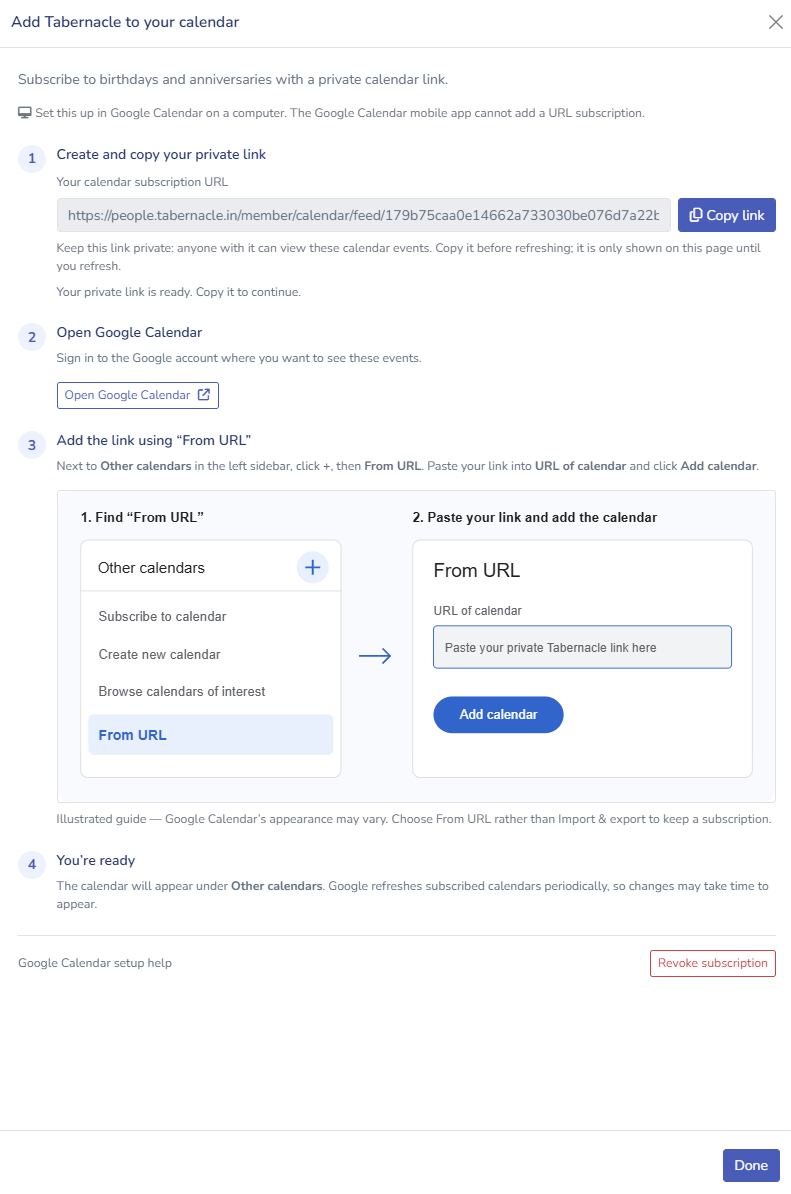
Do this on a computer or laptop. The Google Calendar mobile app cannot add a URL subscription.
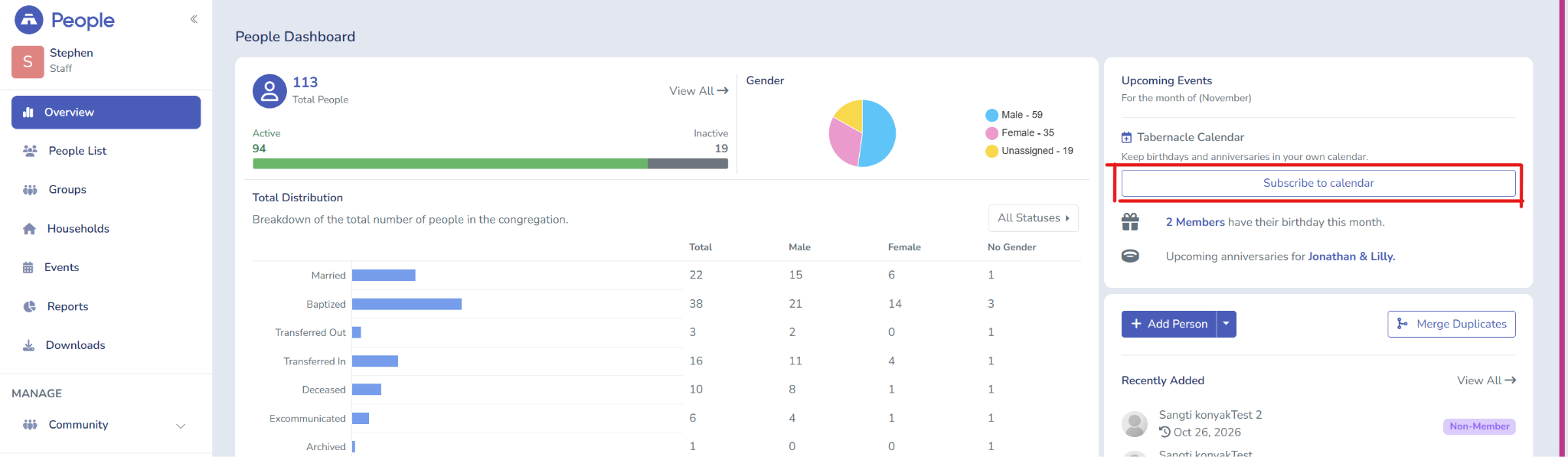
Step 1: On the People dashboard, find Upcoming Events and click Subscribe To Calendar.
Step 2: Click Copy link to copy your private link. Copy it before you refresh the page, because the link only shows on that page until you refresh.
Step 3: Click Open Google Calendar or click here Google Calendar and sign in to the Google account where you want to see these events.
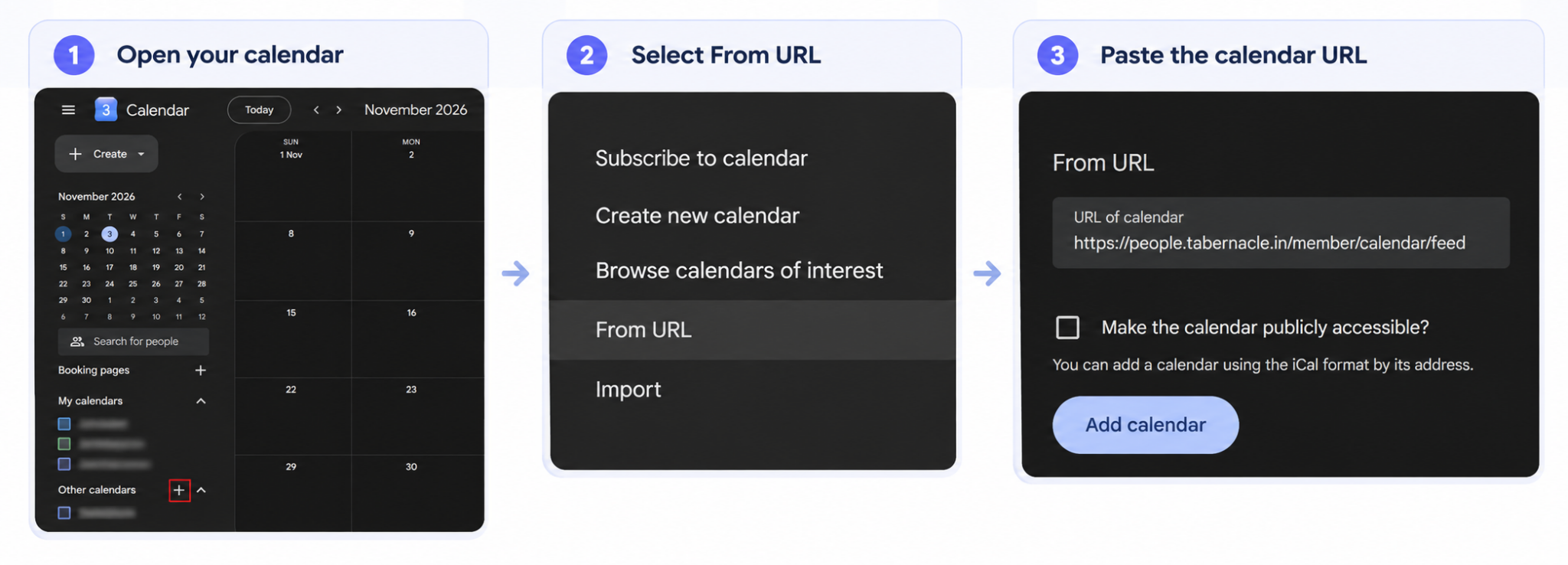
Step 4: Next to Other calendars, click +, then choose From URL.
Step 5: Paste your link into “URL of calendar”, then click Add calendar.
Step 6: Look under Other calendars. Your church calendar is there.
Two things to watch:
-
Choose From URL, not Import & export. From URL keeps it a subscription.
-
Leave Make the calendar publicly accessible? unticked, as in the image above.
Google also explains this menu in its own help page: Subscribe to someone else’s calendar.
What shows up in Google Calendar?
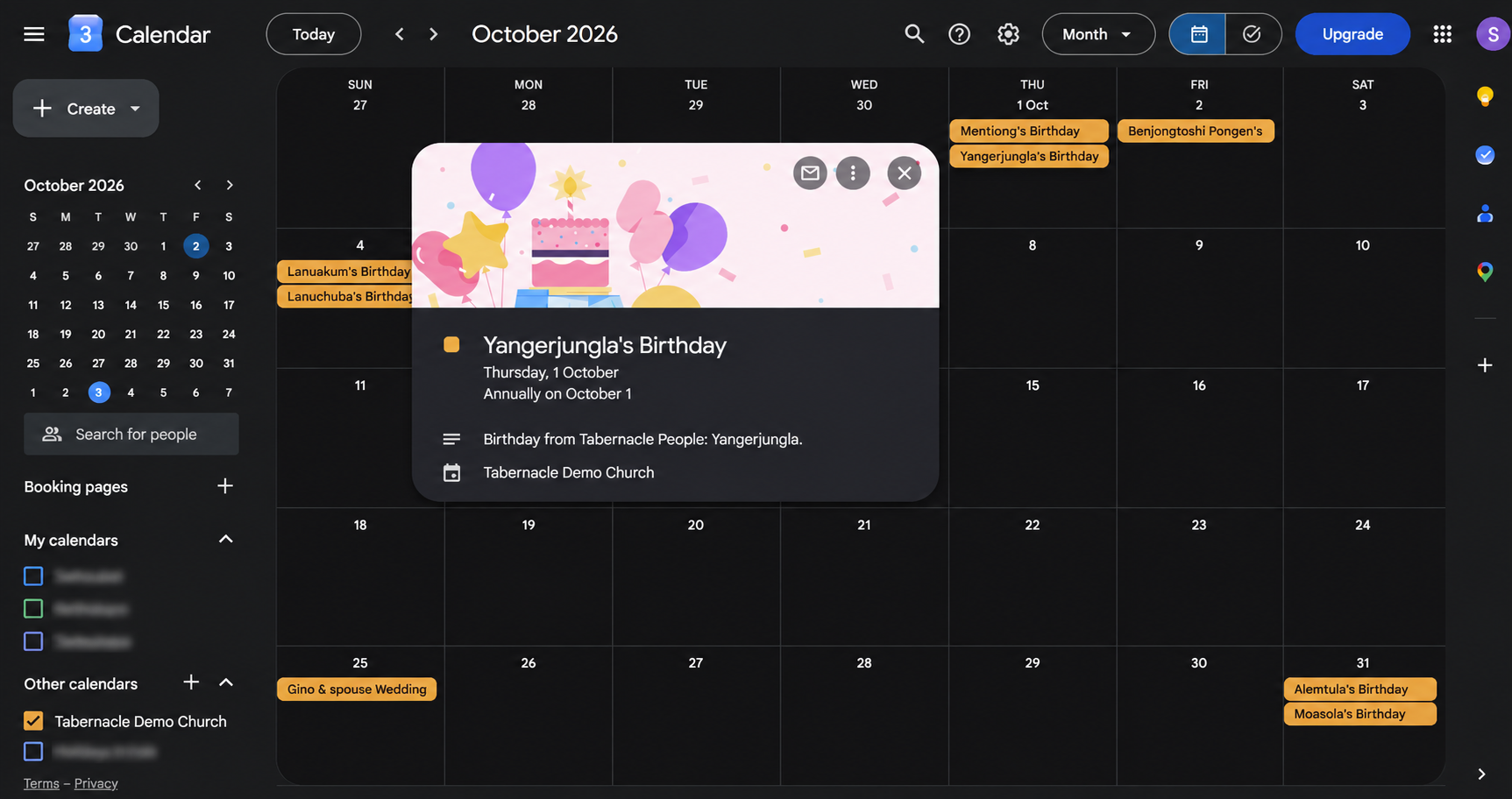
A calendar named after your church appears under Other calendars. In our demo it is called “Tabernacle Demo Church.”
-
Birthdays show with the person’s name, like “Yangerjungla’s Birthday.” They repeat every year.
-
Anniversaries show too, like “Gino & spouse Wedding Anniversary.”
-
Open any birthday and the description reads “Birthday from Tabernacle People,” followed by the name.
How do I stop the Google Calendar subscription?
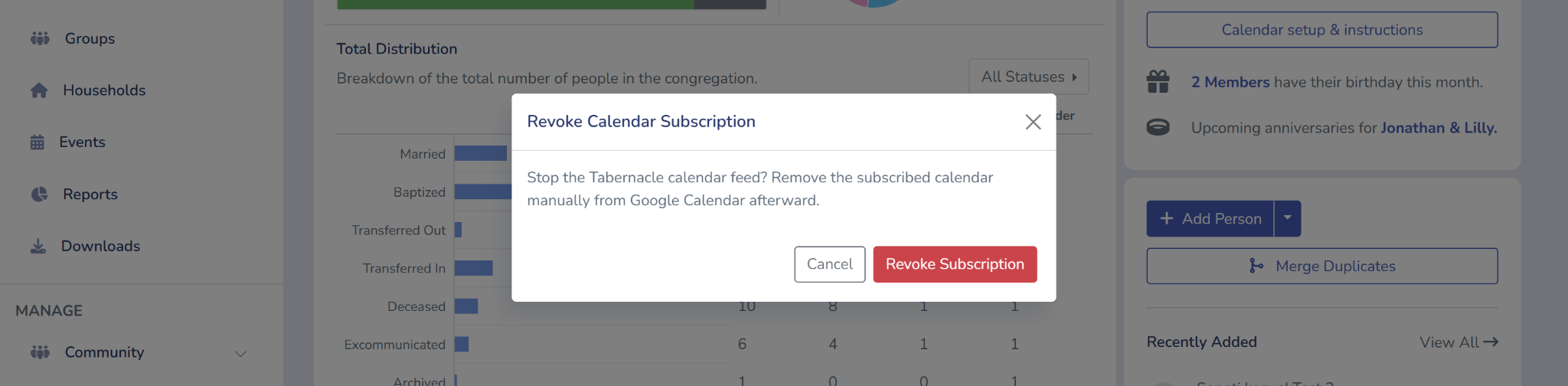
Revoke subscription stops the Tabernacle calendar feed. After that, new events no longer reach your Google Calendar.
The calendar itself stays in Google Calendar until you remove it. Tabernacle cannot do that part for you.
Step 1: Open Calendar setup & instructions.
Step 2: Scroll down and click Revoke subscription.
Step 3: In the Revoke Calendar Subscription box, click Revoke Subscription to confirm.
Step 4: Go to Google Calendar and remove the subscribed calendar yourself.
Thank you
Thank you for using Tabernacle. Try it and tell us how it goes. Your feedback helps us decide what to build next.
God bless your church and the work you do.
💙 Tabernacle Technologies
Church visitor follow-up: a simple 4-week plan
A small team can follow up with every first-time visitor. Here is a 4-week plan with roles, sample WhatsApp messages an…
Church data security: protect member records
Member lists in spreadsheets, WhatsApp groups and old registers can expose private details. Here are 7 common leaks and…
Introducing Member ID in Tabernacle
Tabernacle now has a Member ID. Add it to new members or in bulk, download it, and search for anyone by their Member ID.
