
Now in Tabernacle: Send Contributor Receipts via WhatsApp
Tabernacle now sends donation receipts over WhatsApp, alongside the existing bulk SMS feature. Every message comes with a personalized PDF receipt attached, so churches can use one channel or both.

Release date: 21th July 2026

Bulk SMS has been the only way to send receipt acknowledgements out of Tabernacle. That changes now. Churches can send acknowledgement over WhatsApp instead, with a PDF receipt attached, with the contributor's name, amount, and giving details already filled in.
SMS isn't going anywhere. Use it, switch to WhatsApp, or select both if that's what your congregation responds to better.
What the contributor receives
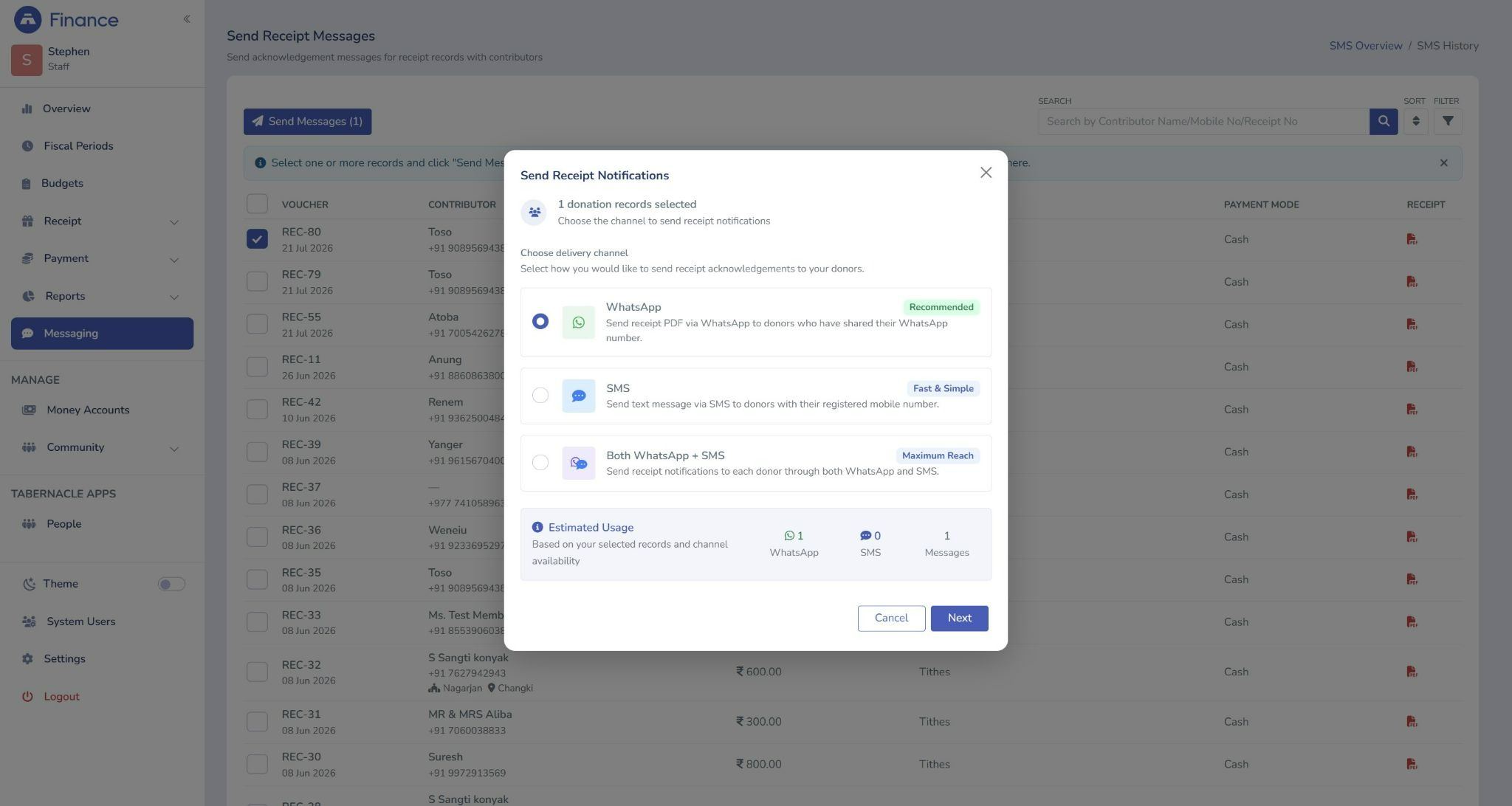
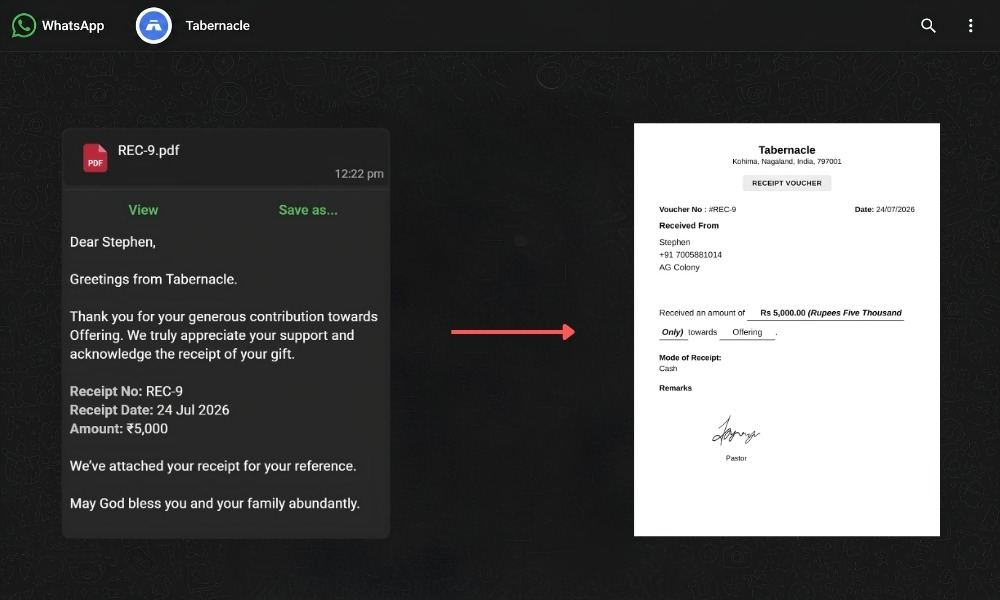
When a single contributor or multiple contributor record is selected in bulk (Tithes or General Tithes) and whatsApp is chosen as the delivery channel, the contributor gets a WhatsApp message from the church with a receipt PDF attached - no manual typing, no individual follow-up is needed.
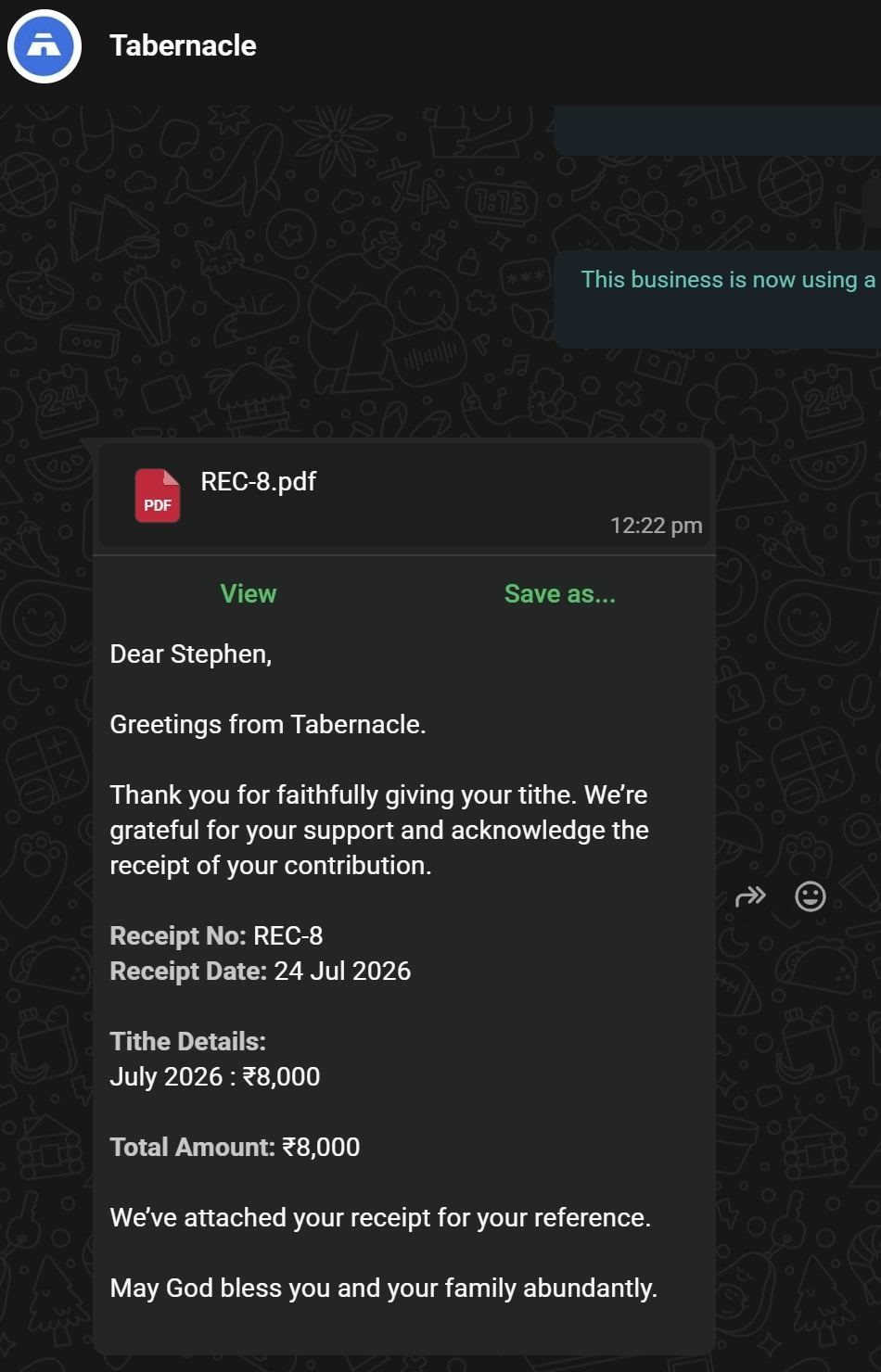
The message includes:
-
The contributors name
-
Receipt number
-
Receipt date
-
Giving details - Tithe amount or offering amount
-
A closing Blessing from the church
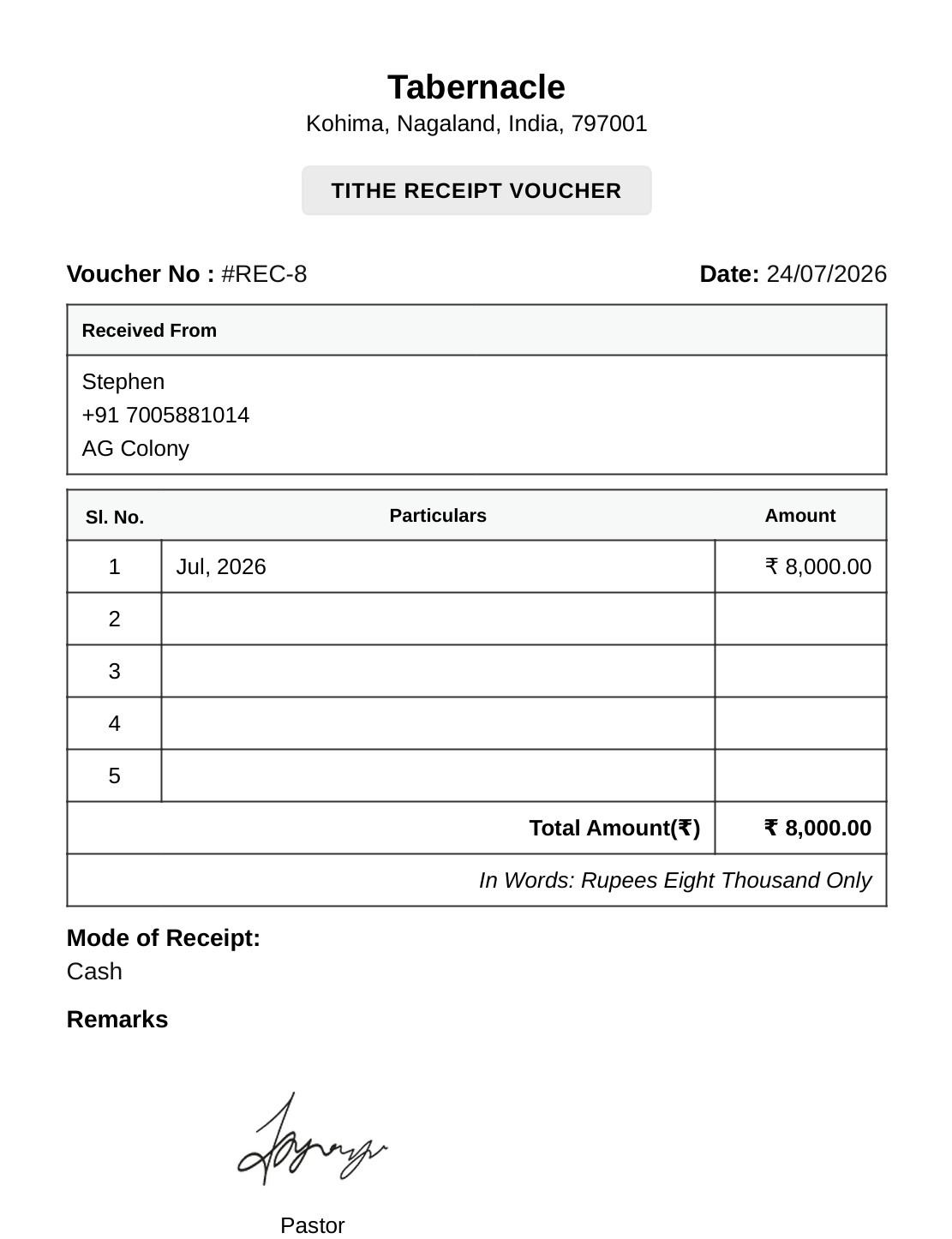
The PDF attached is a formal receipt voucher which includes
-
church name
-
address
-
voucher number
-
date,
-
contributor details,
-
amount in words
-
mode of receipt
-
the pastor's signature
Why WhatsApp receipts
|
Feature |
What it means for your church |
|
PDF receipt on WhatsApp |
Contributor gets a formal receipt straight to their phone |
|
Works on any smartphone |
No special app needed - just WhatsApp |
|
Personalized messages |
Contributor name, amount, and giving category included automatically |
|
Bulk sending |
Send to multiple contributors in one action |
|
Easy to save |
Contributors can refer back to their receipt anytime |
|
Use with SMS |
Send via WhatsApp, SMS, or both to reach more contributors |
Two message and PDF types go out depending on the giving category:
For tithes:
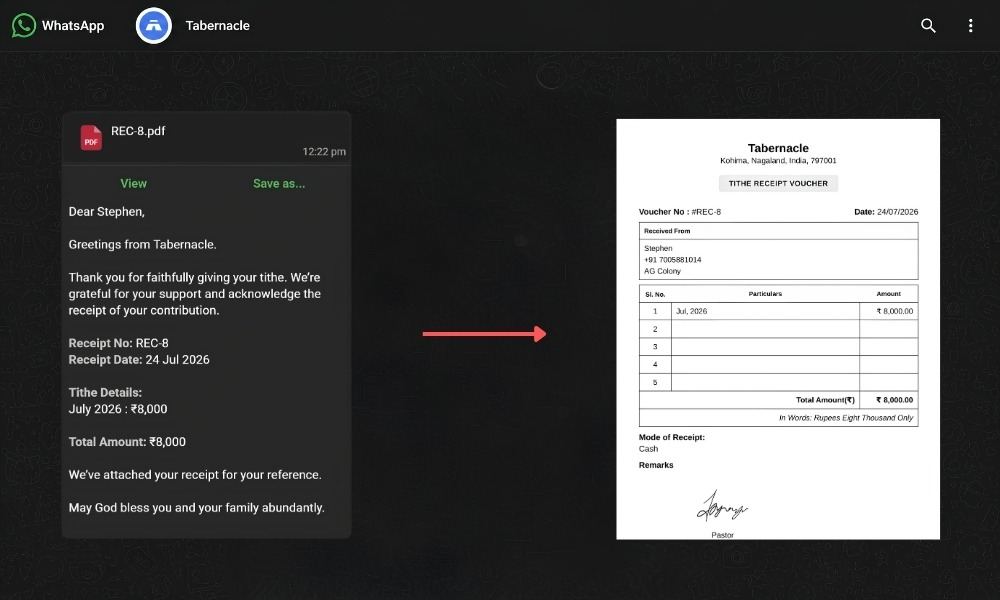
For offerings and donations:
How to send receipts via WhatsApp
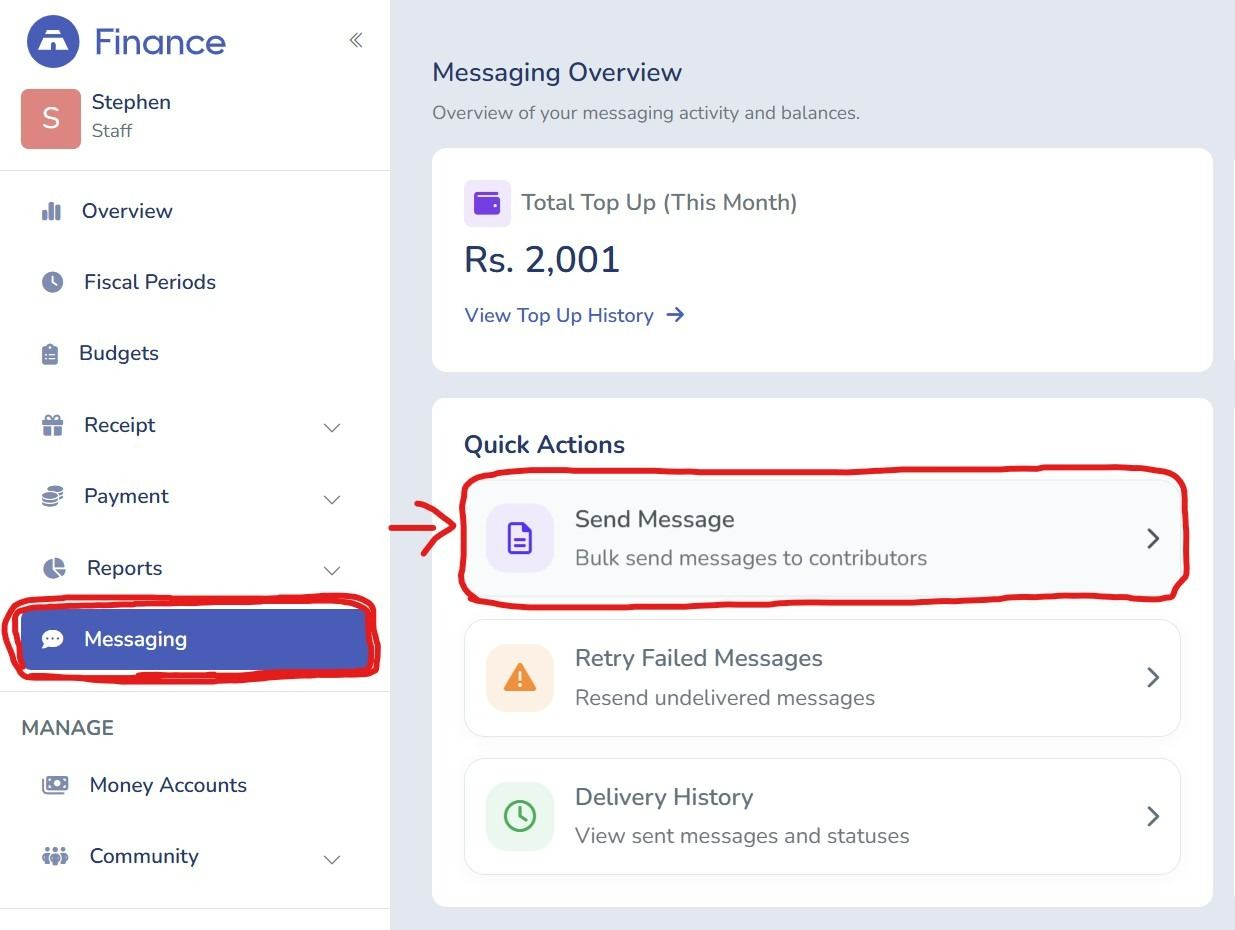
Go to Messaging under your Finance module and select Send Receipt Messages.
1. Select the contributor records you want to acknowledge
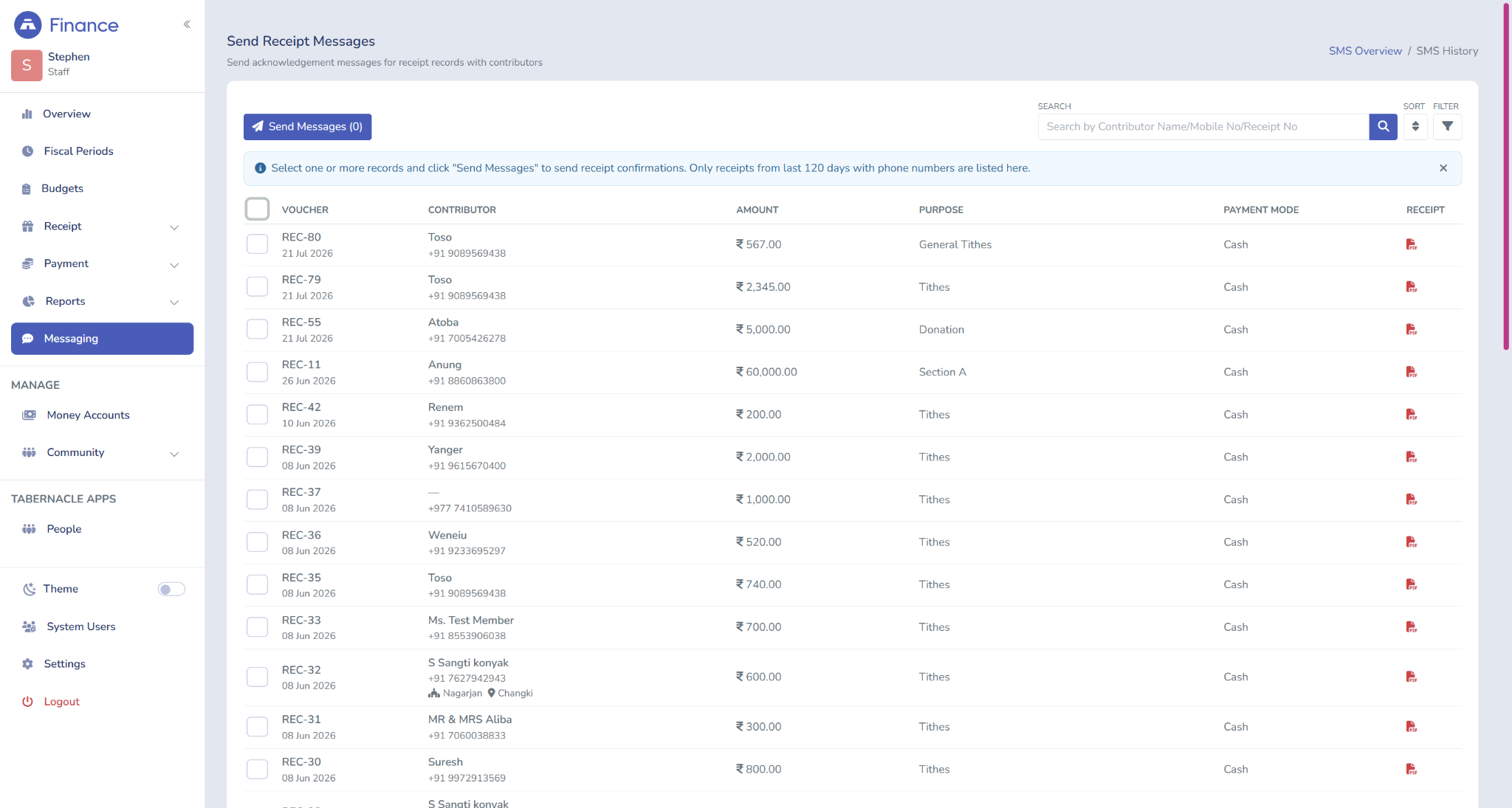
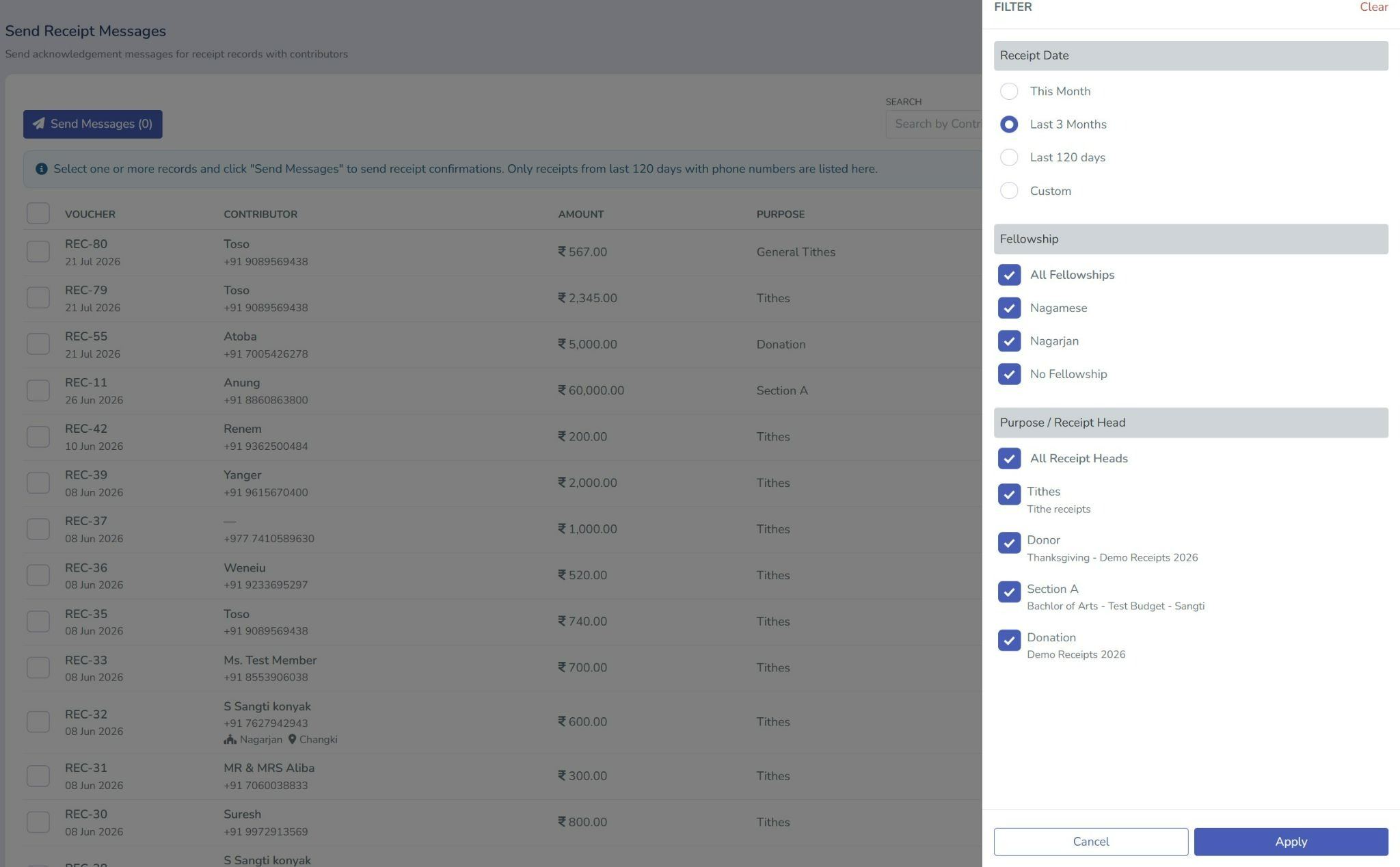
2. Filter by fellowship, receipt head, or date range if needed
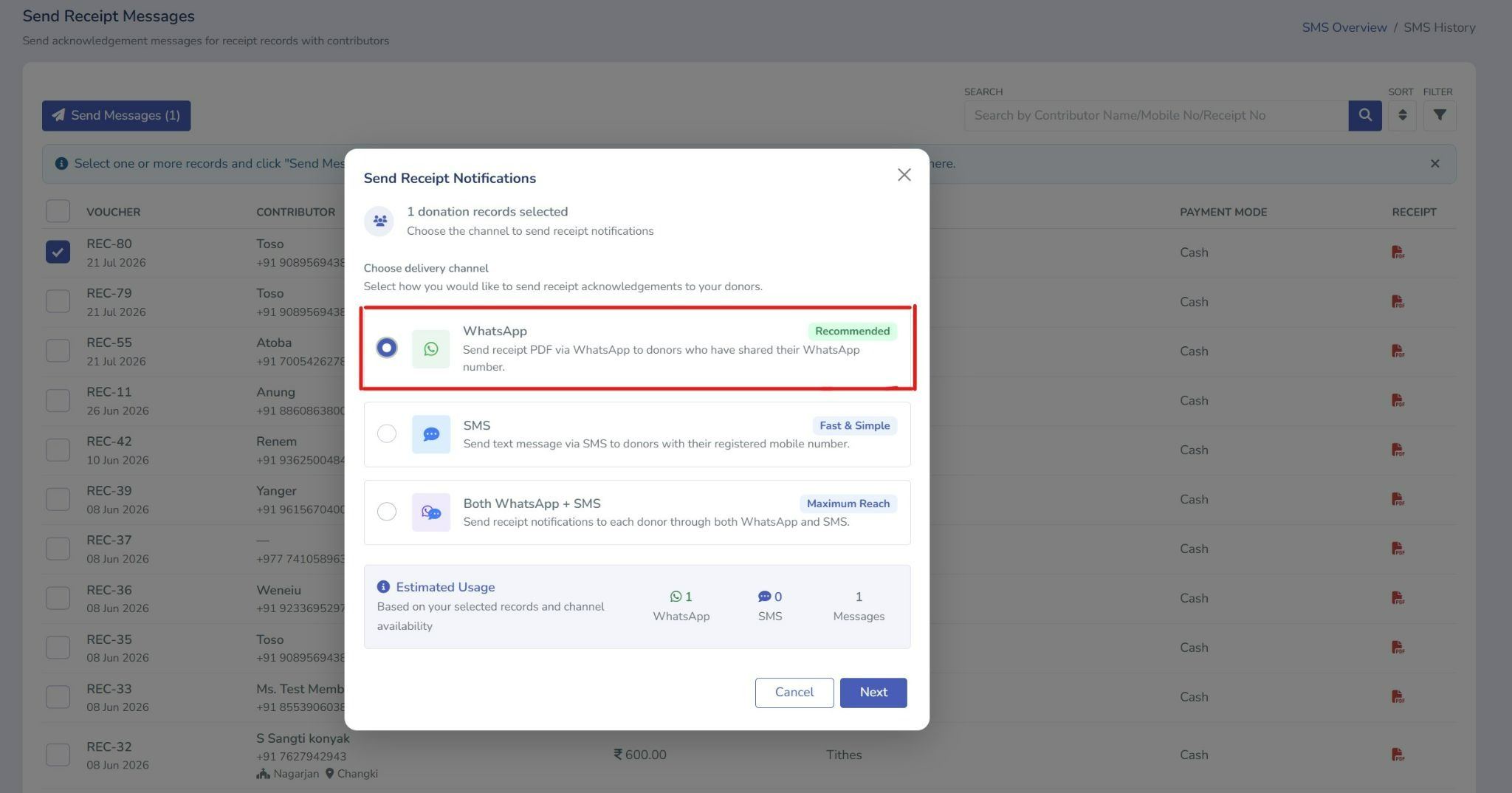
3. Choose WhatsApp as your delivery channel
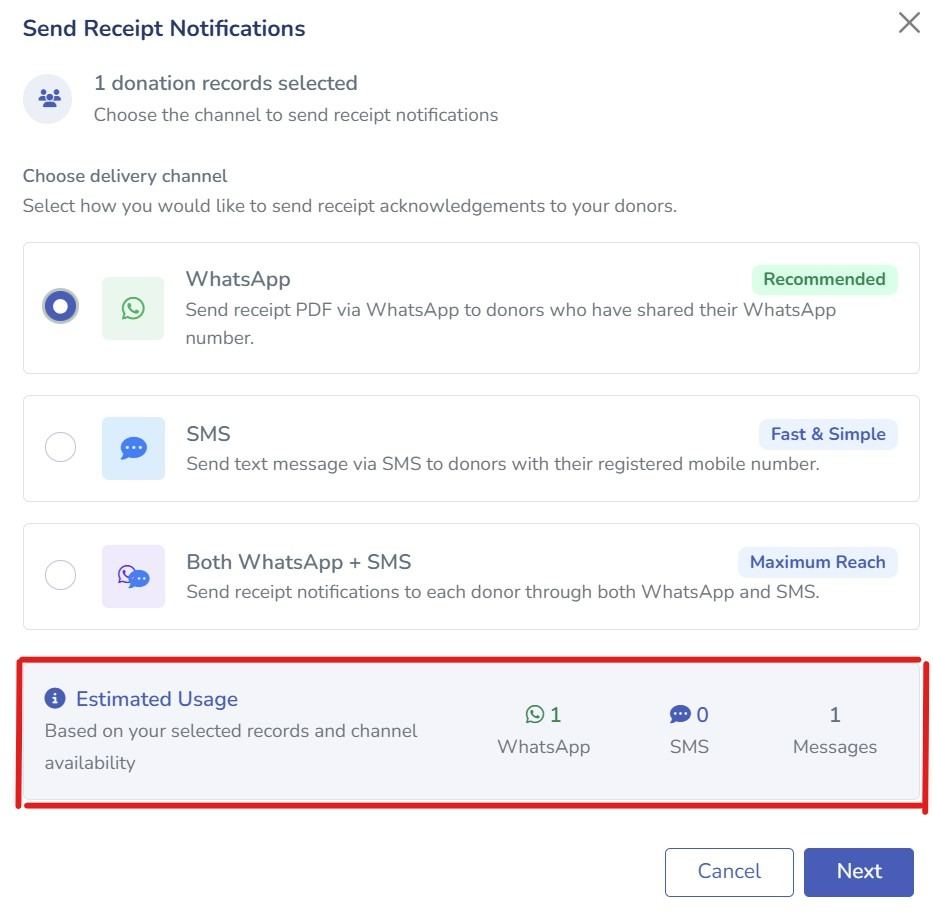
4. Review the estimated message count
5. Click Next, name your message group, and confirm
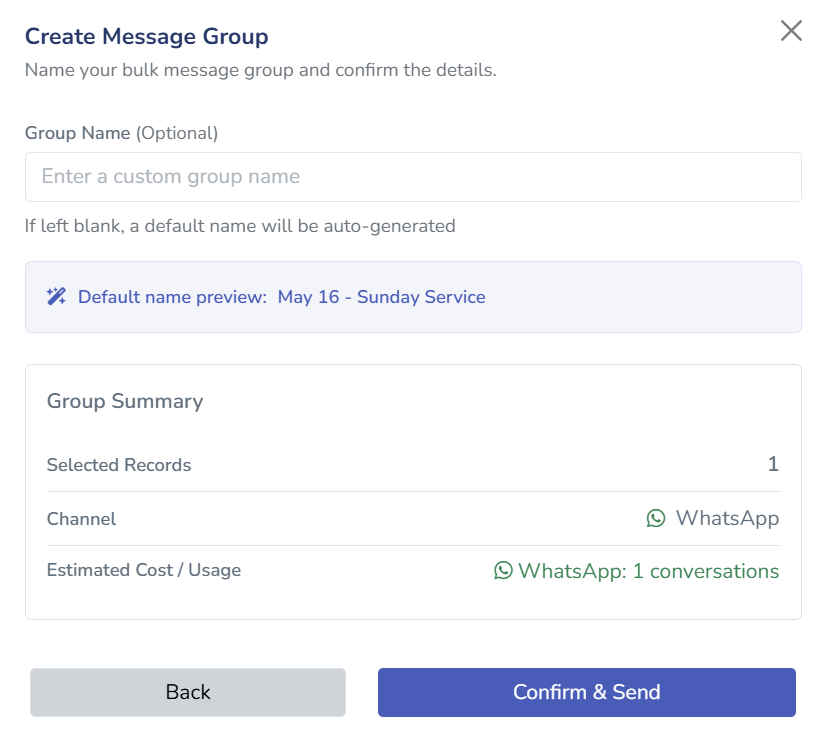
The receipt and message goes out straight away.
Delivery channels available
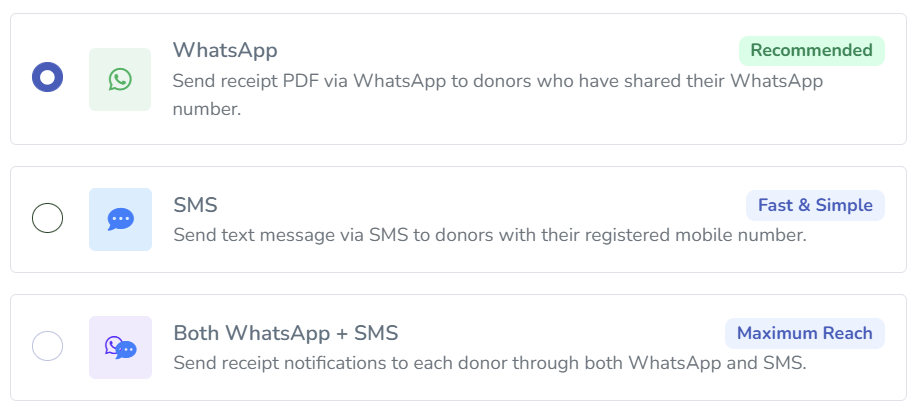
When sending receipt acknowledgements you can choose from three channels:
-
WhatsApp (Recommended) - sends a receipt PDF to contributors who have shared their WhatsApp number
-
SMS (Fast and Simple) - sends a text message to the contributor's registered mobile number
-
Both WhatsApp and SMS (Maximum Reach) - sends through both channels at once
SMS receipt acknowledgements have been available in Tabernacle for some time. WhatsApp is now added as a second channel. Churches can opt for one or use both simultaneously depending on what works best for their congregation.
📌Note: Selecting Both WhatsApp and SMS will deduct from both balances. Each contributor counts as 1 WhatsApp message (Rs. 0.22) and 1 SMS (Rs. 0.35), totalling Rs. 0.57 per contributor.
WhatsApp cost and balance
WhatsApp messages are charged at Rs. 0.22 per message.
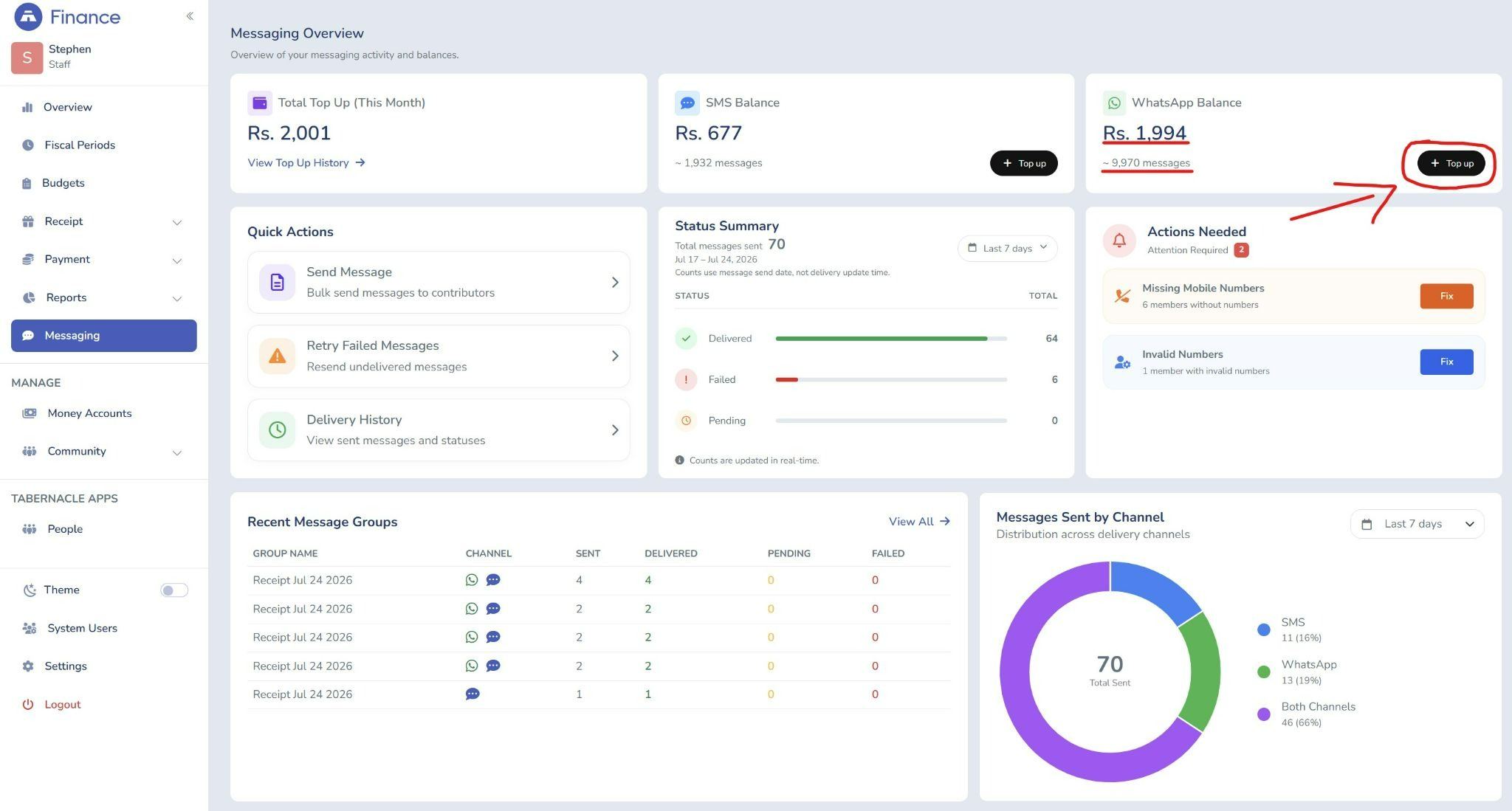
You can check your WhatsApp balance anytime from the Messaging dashboard. Top up directly inside Tabernacle whenever your balance runs low - no manual recharge requests needed.
Why this matters for churches
Most church treasurers are still sending acknowledgements by hand - one by one, after every Sunday service. Tabernacle's bulk SMS feature already handles this for churches using SMS. WhatsApp now extends that same capability to a second channel.
Churches can now send acknowledgement to the contributors attached with a receipt PDF for their tithes or general offerings . No follow-up needed. No contributor wondering if their giving was received. Churches can choose whichever channel their congregation responds to best or send through both at once for maximum reach.
From our team to yours
Building Tabernacle has always been about serving the people behind the churches. The administrators, the treasurers, the pastors doing everything at once.
Thank you for trusting us with that work. We do not take it lightly.

What's New in Tabernacle: July 2026 Update
Three new messaging features are now live in Tabernacle - WhatsApp receipt notifications, bulk SMS, and instant wallet …

50 Bible Verses About Fasting Organised by Purpose
Fasting appears throughout the Bible more than most people realize. Not as a rule, not as a ritual, but as a response. …
Are Churches Exempt from Income Tax in India: What Every Church Must Know
Churches in India can qualify for income tax exemption, but only if they meet the legal requirements. This article expl…
