
Tabernacle Feature Update: One-Click Contribution Statements and New Tithe Receipt Design
Two updates make church admin a little lighter this month. Contribution statements now go out in a couple of clicks, no more downloading and sending one by one. And every receipt, Tithe or General, now shows exactly where a member belongs, not just who they are.

Release Date: 20th August 2026
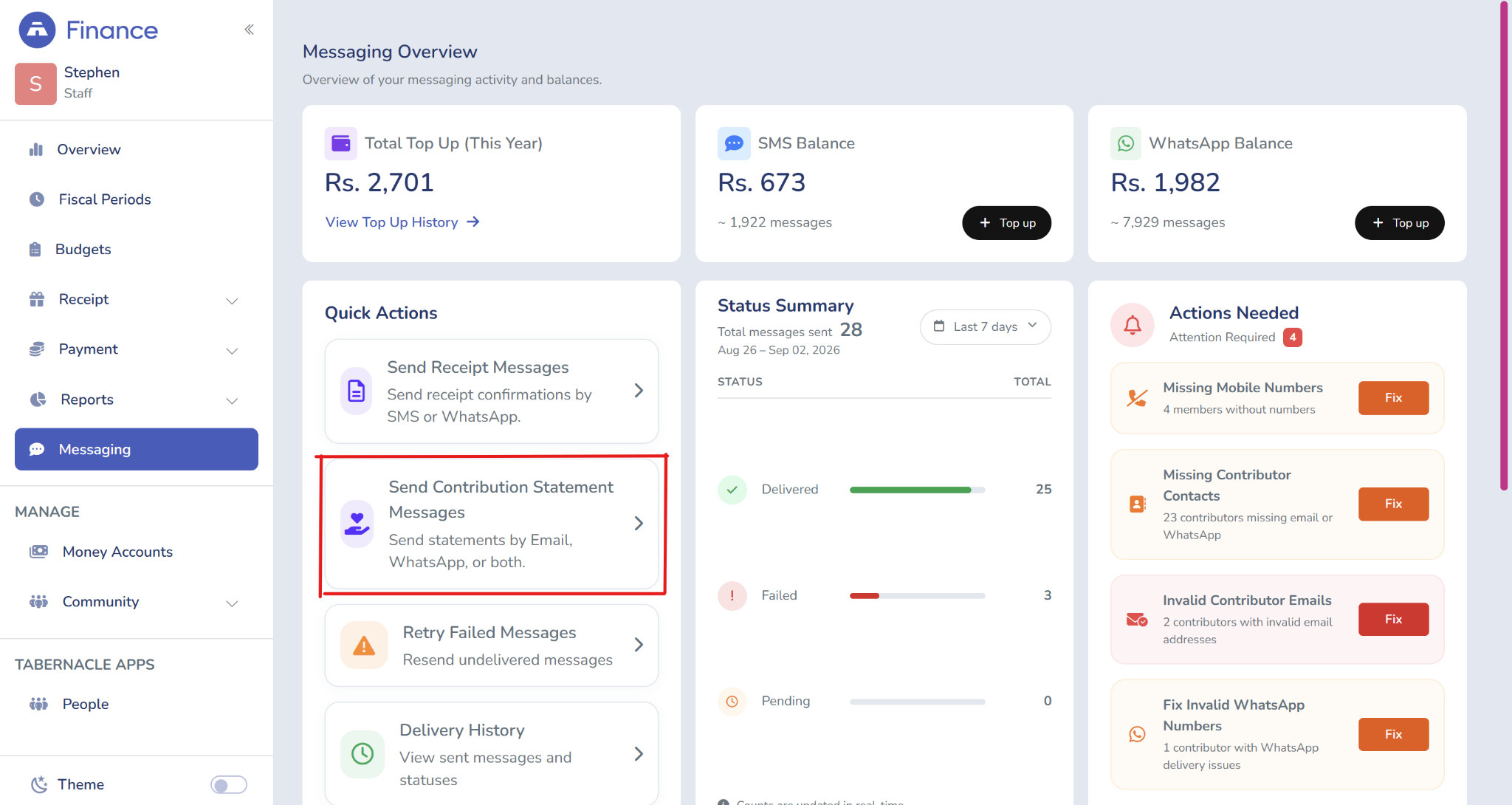
Sending contribution Statements in one Click
Before, when it comes to individual contribution statements one has to go to the reports and make a single download or a bulk download and then manually send it through their email or WhatsApp.
Now, we have added a new feature that lets you easily send contribution statements through WhatsApp or Email.
Now it lives under Messaging as “Send Contribution Statement Messages.”
Location: Finance Module / Messaging
Location: Finance Module / Messaging / Contribution Statement
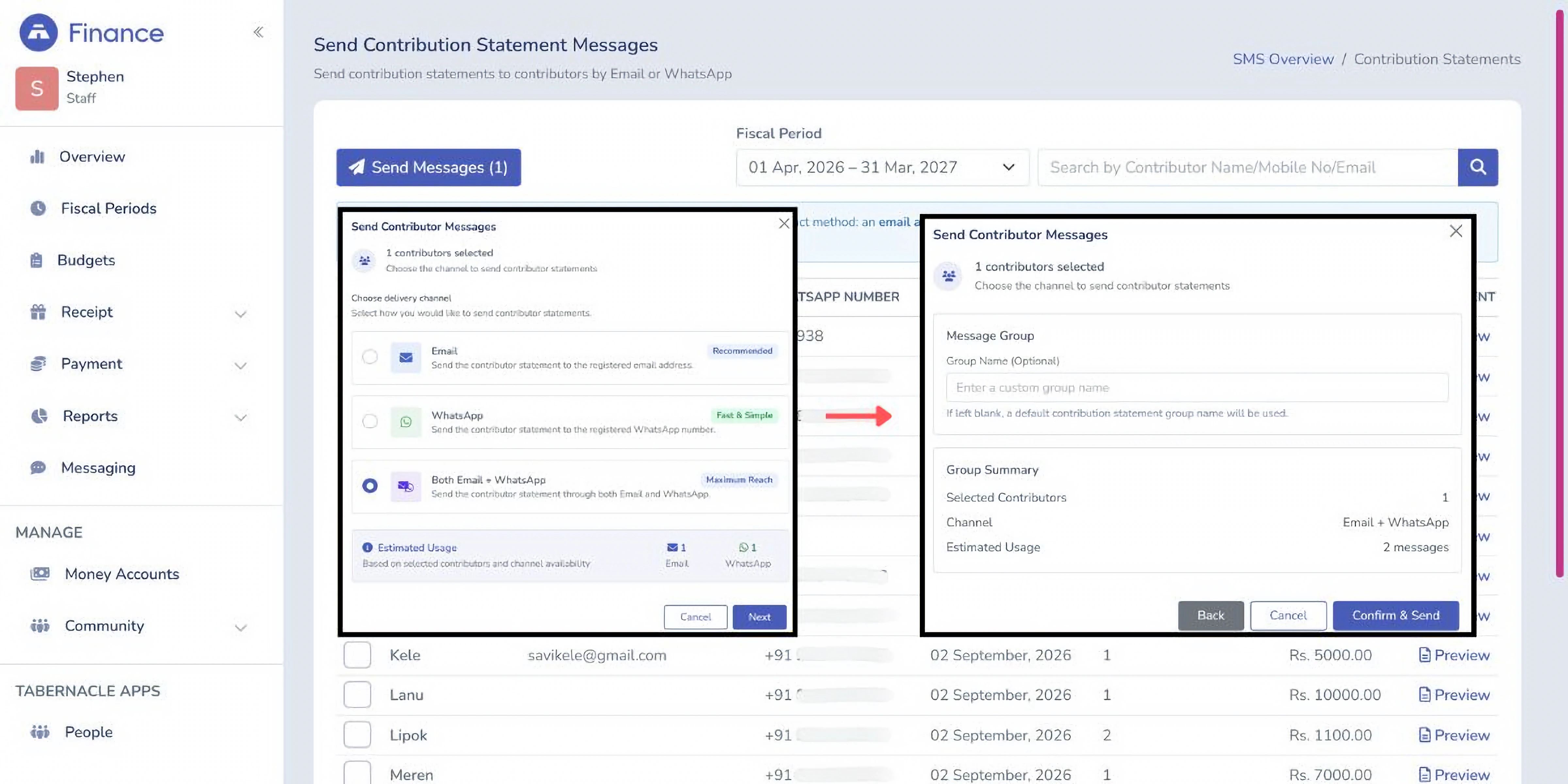
Steps are same as sending a receipt message:
-
Send to one member individually, or bulk send to the whole church. No downloading each one first.
-
Choose email, WhatsApp, or both, so you're not sending the same thing twice for members who want either.
-
Optionally name the message group (or leave it blank for a default name)
-
Review the summary: number of contributors selected, channel chosen, and estimated messages to be sent
-
Click Confirm & Send
If your church sends these out at year-end or after a giving campaign, this turns an afternoon of manual sending into a few clicks.
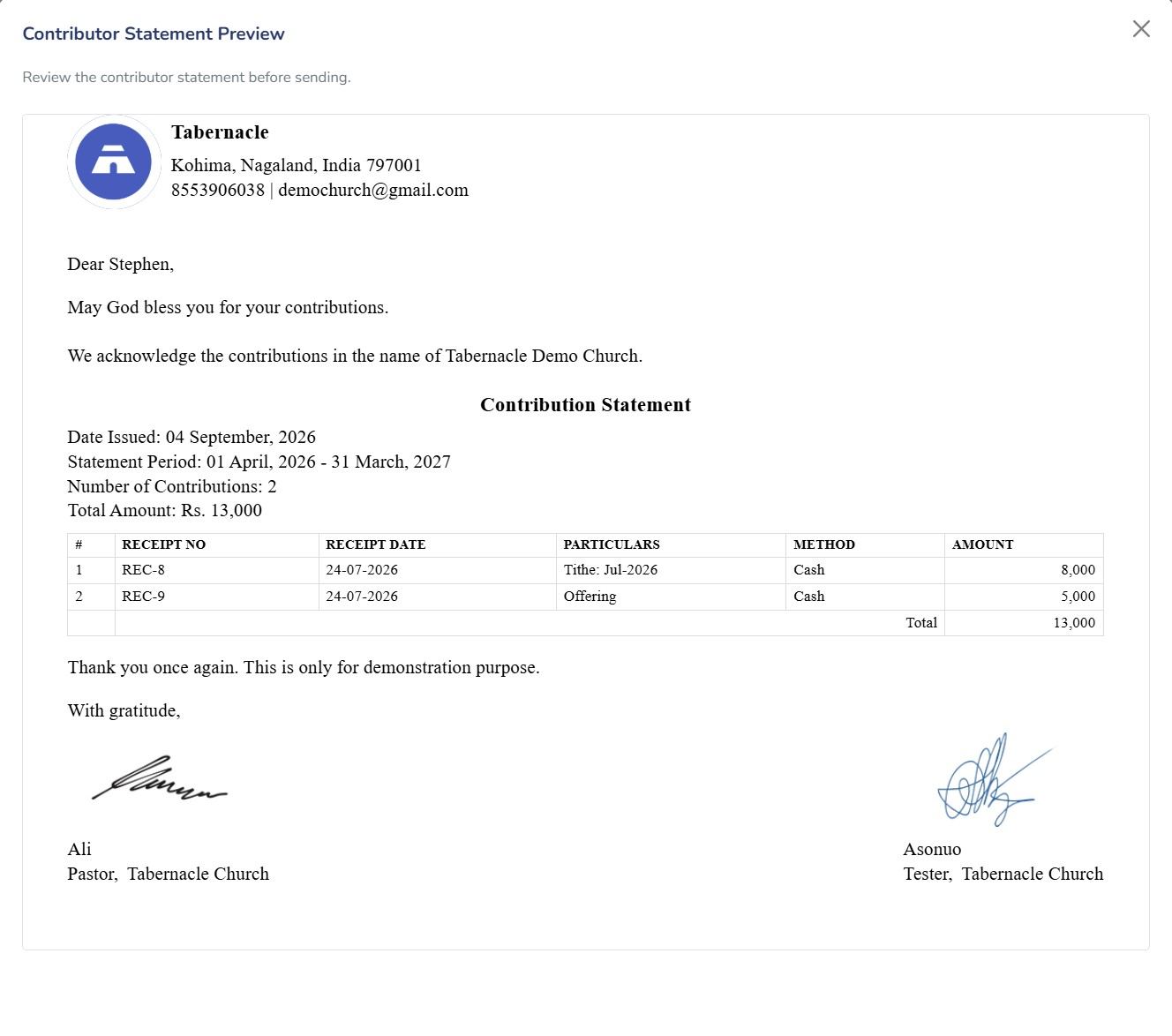
Here is a look at what the contributors will receive
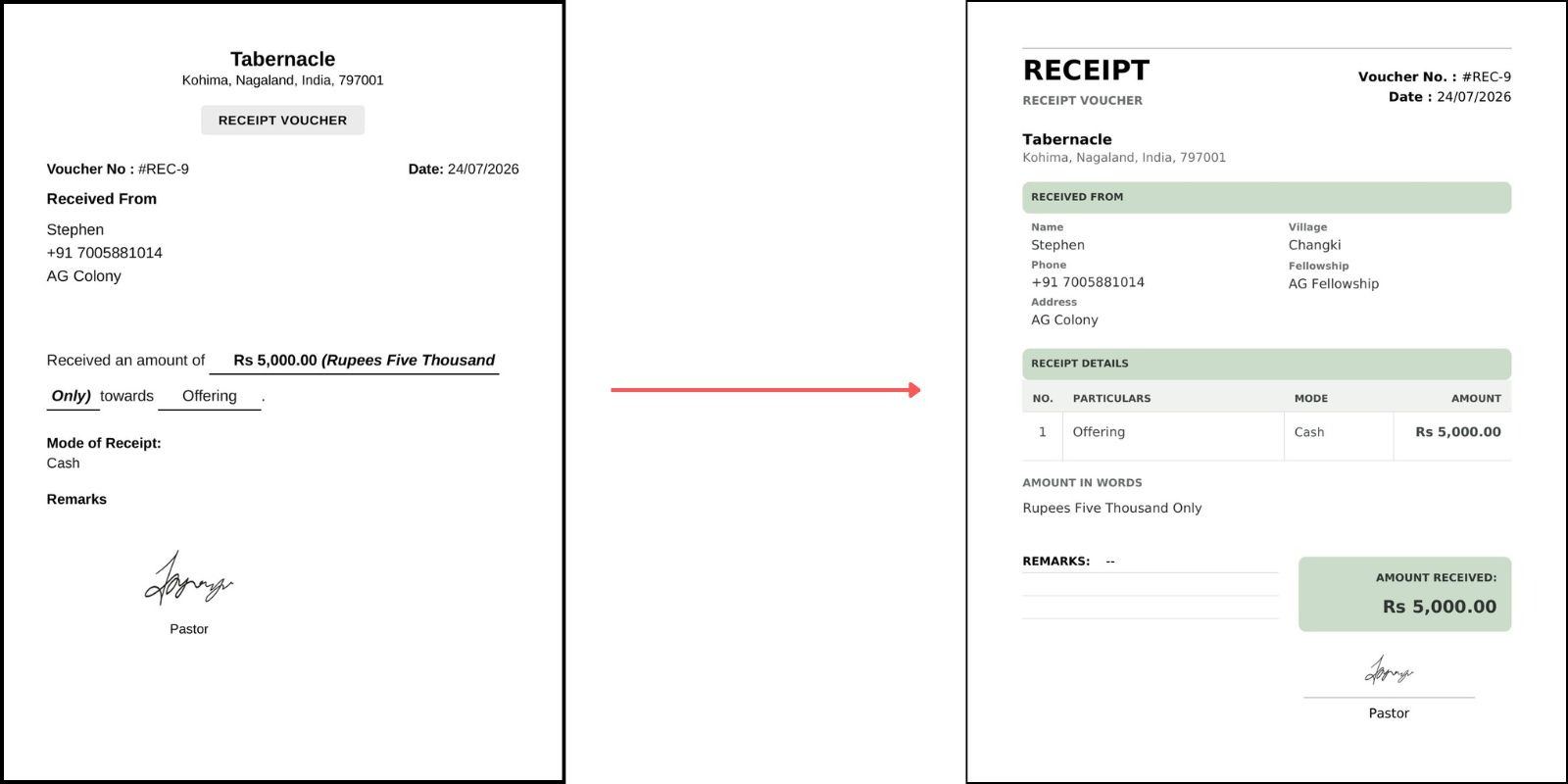
 A cleaner look for Tithe and General Receipts
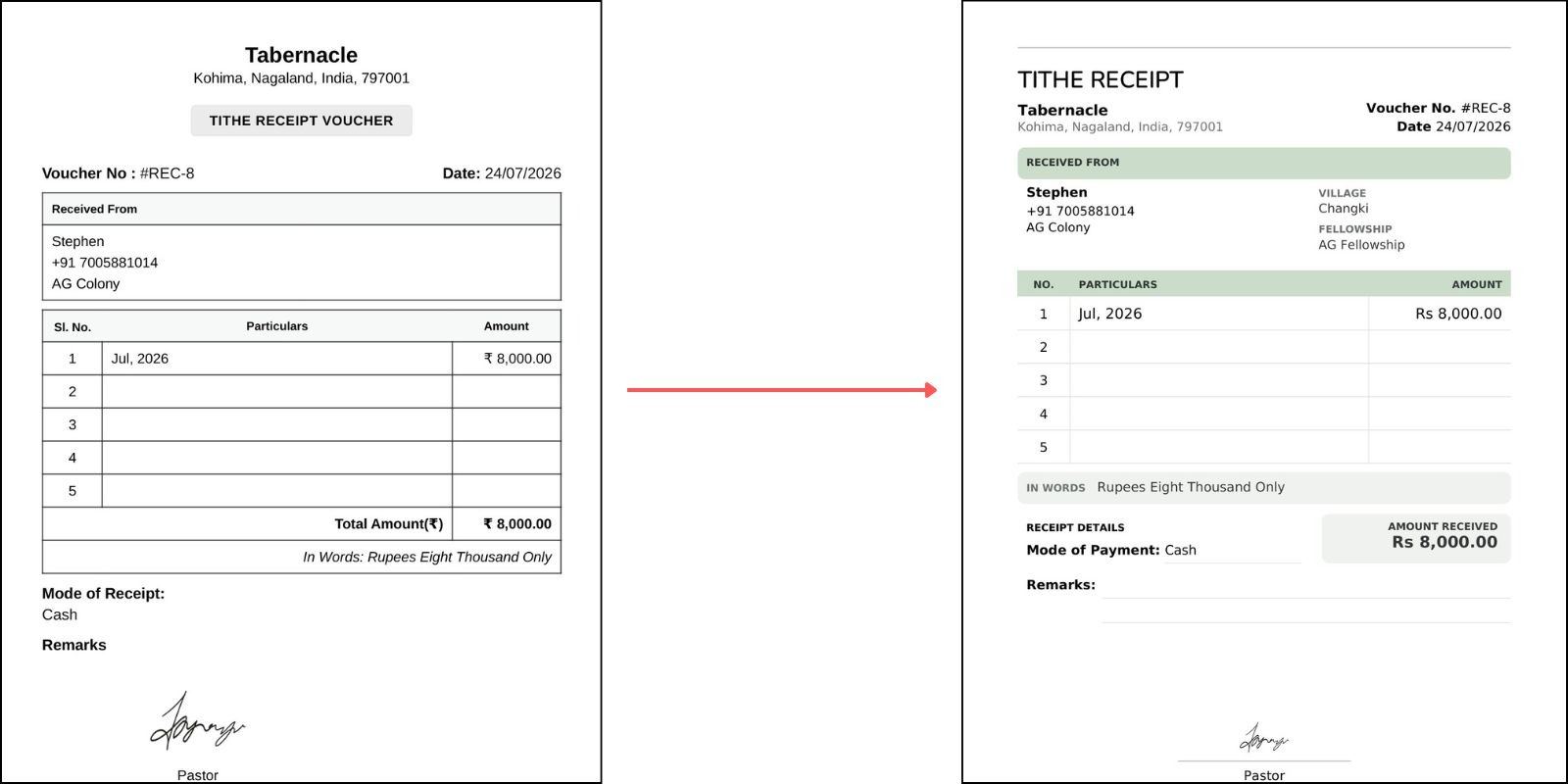
We have redesigned both types of receipt. Every Tithe and General Tithe Receipt now includes the member’s Village and Fellowship, alongside their name and contact details. So you can tell where someone belongs just from the receipt, not just who they are.
Tithe Receipt
|
Old |
New |
|
|
Title |
"TITHE RECEIPT VOUCHER" |
"TITHE RECEIPT" |
|
Layout |
Plain black and white |
Sage green section headers and highlight boxes |
|
Received From fields |
Name, Phone, Address |
Name, Phone, Address, plus Village and Fellowship |
|
Particulars table |
Sl. No. / Particulars / Amount, 5 rows, with a Total Amount row |
No. / Particulars / Amount, 5 rows, no separate Total row |
|
Mode of Payment |
Listed below the table as "Mode of Receipt" |
Its own line under Receipt Details, next to the Amount Received box |
General Receipt
|
Old |
New |
|
|
Title |
"Tabernacle" as the main heading, "RECEIPT VOUCHER" as a small label below it |
"RECEIPT" as the main heading, "RECEIPT VOUCHER" as a small label, "Tabernacle" moved further down |
|
Layout |
Plain black and white |
Sage green section headers and highlight boxes |
|
Body format |
"Received an amount of Rs 5,000.00 towards Offering" |
Table with No. / Particulars / Mode / Amount |
|
Received From fields |
Name, Phone, Address |
Name, Phone, Address, plus Village and Fellowship |
|
Amount details |
Written inline in the sentence |
Separate Amount in Words line, plus a highlighted Amount Received box |
That's the update
Fewer clicks for contribution statements. More context on every receipt, with Village and Fellowship now part of the picture.
These are small changes, but they come from the real work churches do every week, matching a statement to the right member, filling in a receipt by hand.
Thank you for trusting Tabernacle with that work.
💙 Tabernacle Technologies

Church financial reporting: what to review monthly
What should church leaders review each month? Five key numbers, a sample report with three problems, and a ten-minute w…

Church Budget: A Practical Guide for Churches
Learn how to create a church budget step by step: estimate income, list costs, add a reserve, and check spending each m…
Jesus quotes: 25 sayings and what they mean
25 Jesus quotes from the Gospels, grouped by famous, love, hope, faith and short sayings, each with its Bible reference…
