
What Changes When Your Church Switches to Church Software
Thinking about moving off spreadsheets and notebooks? Here's exactly what changes in the office, the finance team, and member care, and what stays the same.
If you ask churches that have switched to or adopted church software, you will probably hear a common response - they were having a difficult time managing their member database, finances, and communication. When a board member asks for the current position of the building fund, the truthful response would include a commitment to find out rather than any specific figure. The gap that exists, between saying 'I will check' and knowing the answer immediately, is what churches pay for when they make the move to software; the rest of this article details how that gap is managed.
What your admin notices first
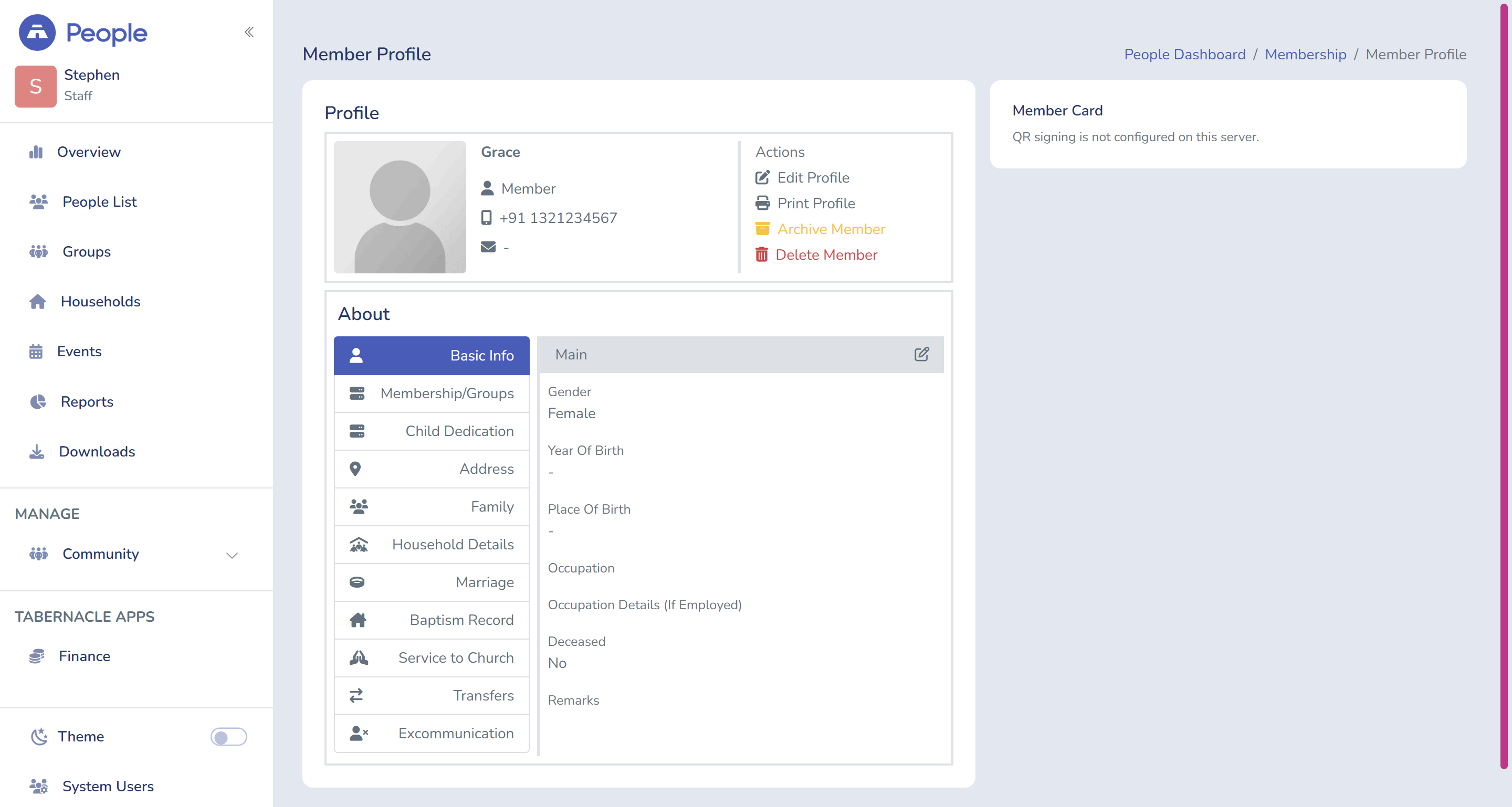
In the beginning, the switch happens at the church office first and later extends to your congregation. Your congregation will not feel any difference in the first week. Your administrator, however, most certainly will.
What changes right away:
-
Records of the members' data on paper, Excel spreadsheet, or some random chats on WhatsApp all of this are grouped into one easy searchable system.
-
Your administrator doesn't have to verify three source Everytime to answer the question " is this family still active"
-
Attendance is recorded as it happens, it will not be based on memory during Monday morning meeting
You can take a look at what churches are saying adopting a church software — read their stories
How will the finance team be revised?
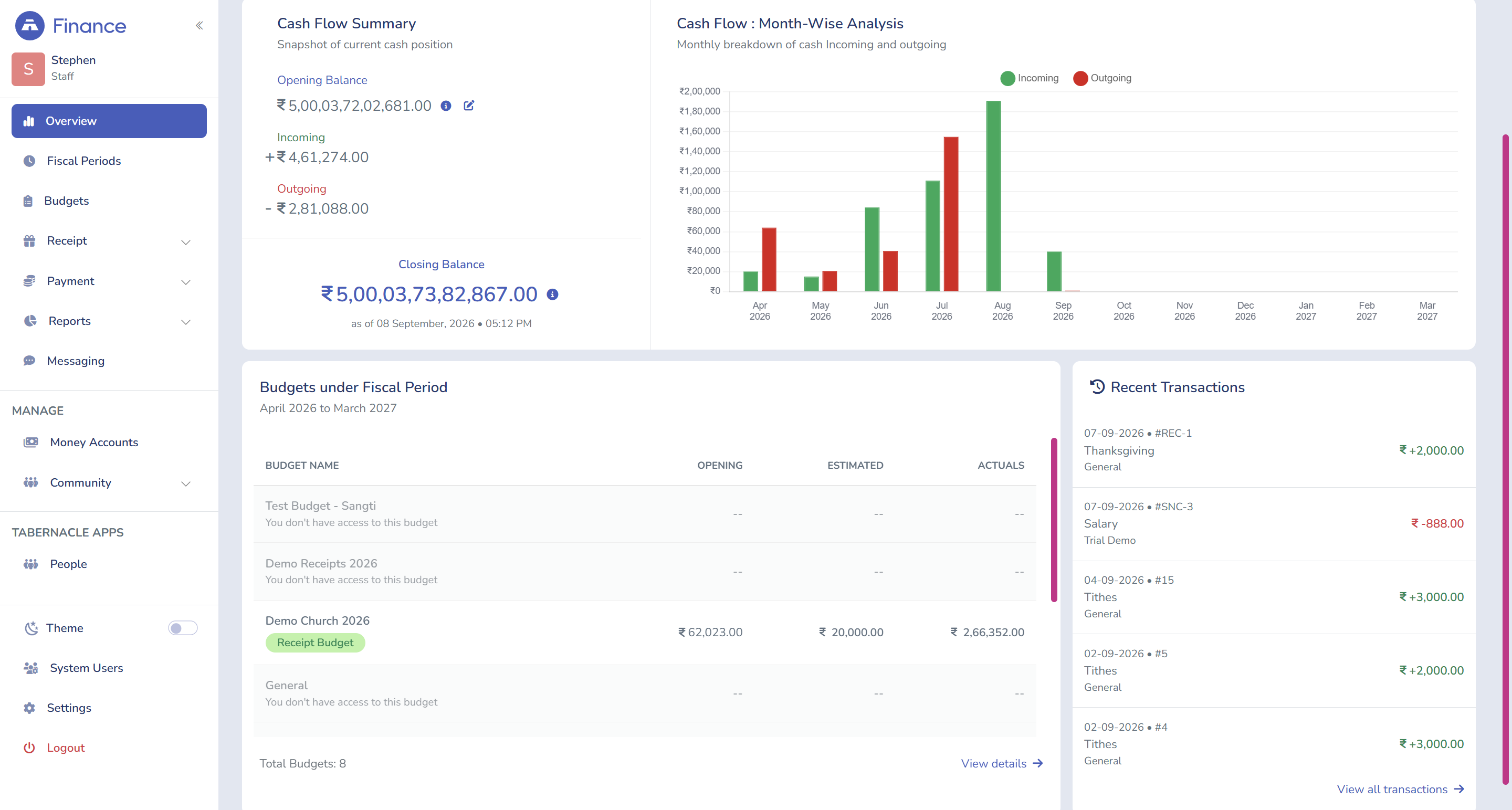
From now on, there is no need to keep a single spreadsheet with tithes, offerings, special collections, and building fund contributions; it would be inappropriate to ask someone from the church to remember this information. The first thing one will notice is the gap between the promise to check the information and seeing the actual number on the screen.
-
Every type of funds (tithes, offerings, special collections and building fund) starts being recorded as a separate item from now on.
-
Financial statements can be checked or downloaded whenever needed: manual complicated reconciliations are removed.
-
There is no need to follow up later to get answers about fund balances from the board.
Launch your church into the future
Everything your ministry needs — giving, events, members, and more. Try it free, no credit card required.
Start Free Trial No credit card • Cancel anytimeWhat changes in how you organize your congregation
Records will become more than a list of members' details, and actually start reflecting the structure of the church, grouped by household, village, colony, and fellowship, rather than just a name and contact number.
-
Structured records based on household, village, colony, and fellowship, instead of just a name and number
-
A Reports section with a possibility to export directory, create a simple PDF, have detailed Excel or reports sorted by household, based on request
-
An Events calendar is divided into different departments, including events related to men, women, and children, so there are no mixed functions and events.
What changes in how you communicate with members
The essence of communication remains unchanged, yet technology makes the communication process so much easier. For example, sending someone a thank-you message via SMS or WhatsApp with the receipt attached means that the administrator does not have to make personal contact with each person, which would previously require a significant amount of time and energy. Donations are also recorded as they are received, which means it is only necessary to send a message to express gratitude, rather than trying to remember who donated.
What remains the same
Software cuts down on manual work but it doesn't eliminate the need for humans to perform work.
-
Data entry must be precise. Software takes care of the data entered into the system but it will never correct bad or partial data on its own.
-
Someone, usually the admin, needs to actually know and understand the software properly and make the best use of the software. A system nobody knows how to operate is just an expensive version of the old spreadsheet.
-
The pastor is still required to go for home visits and conversations with the congregation.
-
Churches still need to figure out how to use the data, software only provides the information.
-
Donations still depend on people donating and their habits.
A general sequence for the conversion itself
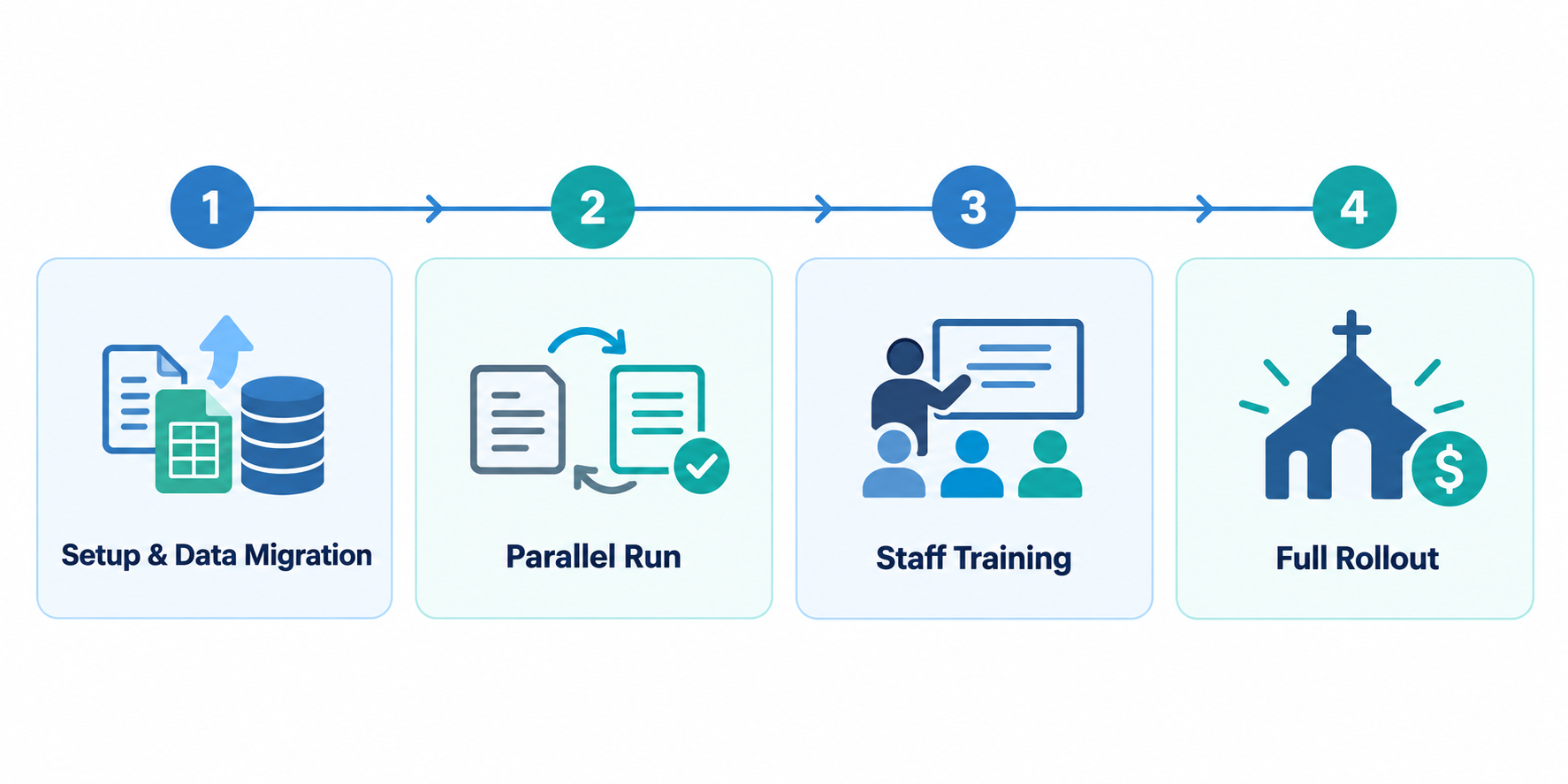
Normally, all churches go through different stages, but timing of each process varies from church to church.
Stage 1, preparation and data transfer. A church is prepared to migrate its membership and contributions records from any type of database and the first point here is that they do not have to do the migration by themselves, which saves them time and efforts.
Stage 2, trial period. By this time, the church should have its old and new system operating simultaneously so that to make sure all the figures correspond in both systems before trusting the new system.
Stage 3, training employees. This stage is often ignored by churches and usually becomes the reason for failures that they encounter in the second month. Spending around half an hour on training of the party responsible for attendance and contribution details results in a number of typical mistakes being avoided.
Stage 4, at this stage the church is fully ready to roll out with the church software in managing their church. This is deliberately the last stage, not the first.
Things to consider when transitioning
One of the top reasons why churches frequently change their technology strategy is lack of support from the provider - something that should be on your list when looking for a solution to utilize after the move is done.
Two things to make sure you do during transition:
-
Your current giving and members records - you don't want anything getting lost during the conversion process.
-
The transition is long enough to give your staff - not just the person who is initiating the process - a chance to work with the new system before committing to it.
Tabernacle has made it easy for churches to migrate their information by offering data transfers from paper files, spreadsheets or from another ChMS at no cost. This provision is expected to alleviate the concern about switching from one platform to another as this is one of the main reasons churches hesitate to move onto a different platform. The church Benefits of switching to Tabernacle post can give you an idea of how other churches have utilized the software. If you would like to learn more about the software in general, feel free to check out our complete guide on church management software along with our guide to church accounting.
FAQ
How long does it take to transition to the new software for church management?
Be prepared for several weeks instead of expecting overnight changes. The main part of the transition process involves transferring data and ensuring that all the employees got used to the new technology.
Will we lose our information when switching software for church management?
The data will be perfectly saved if some precautions are taken. First of all, export all the data and check if it is transferred successfully before deleting the old software.
Is the process of switching church management software worth the effort?
Usually, the answer is positive, especially when the existing software takes more efforts than saves. If the current software works well, waiting for a while might be a wise choice.
What is the best period for switching church management software?
Usually, it is better to do it outside holiday season when a new system can be learned without many distractions from church events.
How much does switching to new church management software cost?
It depends on the platform and whether the migration process is included in the price.
How to increase church attendance: 10 ideas
Ten practical ways to bring people back and keep them, built on your own attendance records and honest conversations.
Church financial reporting: what to review monthly
What should church leaders review each month? Five key numbers, a sample report with three problems, and a ten-minute w…

Church Budget: A Practical Guide for Churches
Learn how to create a church budget step by step: estimate income, list costs, add a reserve, and check spending each m…
